
Look around the Lobby
Once you have signed up, Choue opens on the Lobby. It is your start page: each tile opens an area, and a number on a tile counts what is new there. The first time, a short tour points out the tiles; close it whenever you like.
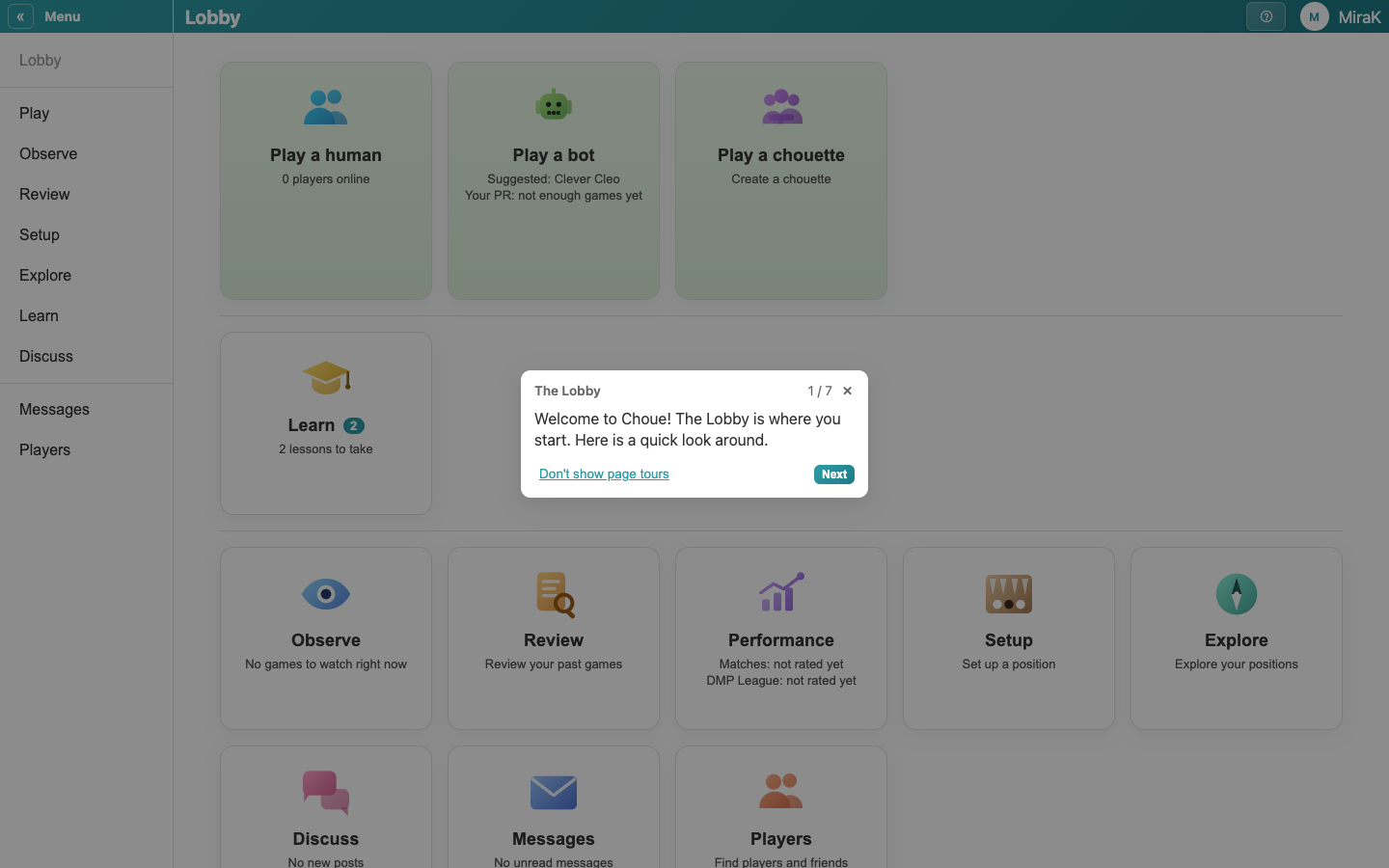
Most of what you will do falls into three parts:
- Play. The first three tiles start a game: Play a human finds you an opponent or challenges a friend, Play a bot starts a match against a bot of the strength you choose, and Play a chouette is backgammon for three or more players.
- Review. Every game you play is analyzed. Review lists your games and shows, move by move, where you lost and what the better move was. Performance follows your ratings and your PR, your average error per decision (lower is better).
- Learn. These tutorials, and lessons and quizzes on backgammon. On a phone, Learn is in the bar at the bottom.
The other tiles can wait: Observe to watch games, Setup and Explore for positions, Discuss, Messages and Players for the community. The menu (on the left, or Menu at the top) goes to every area from anywhere, the ? at the top opens help on every page, also during a game, and your name at the top right has your account and Preferences.
More: Find your way around the Lobby and Get help.