Find a human opponent
Find an opponent whose search fits yours: a match length, clock, and settings that you both accept.
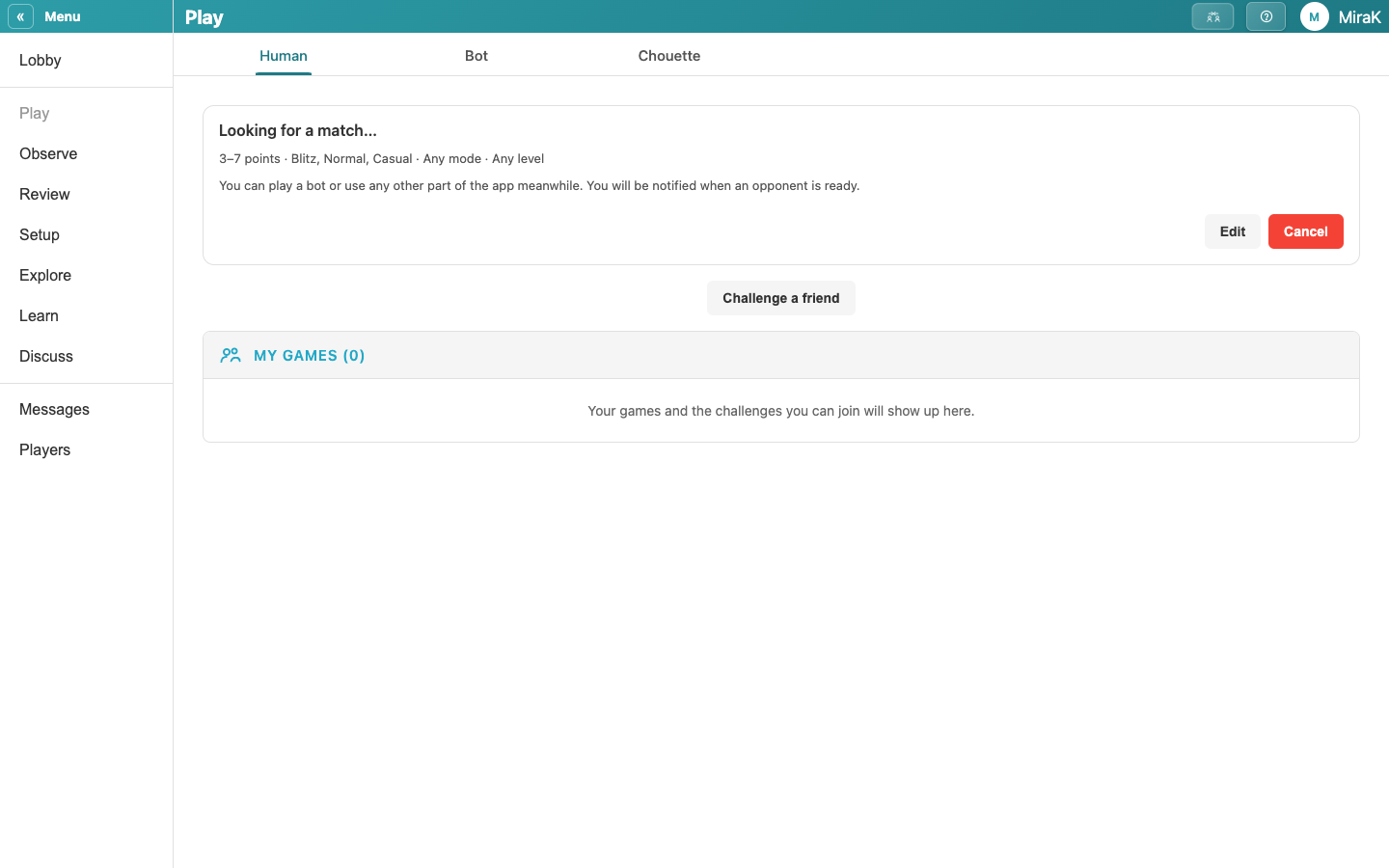
- Open Play A Human from the Lobby. Find A Match finds an opponent for you.
- Choose your preferred match lengths and clock settings. Choosing several gets you matched sooner.
- Look For A Match will start the search. You can play a bot or use any other part of Choue while waiting for a match.
- When an opponent's search fits yours, both of you are asked to confirm the match. Once both have accepted, the match opens.
Full steps: Find a match with a human. To play someone you know instead: Challenge a friend.