Query filters
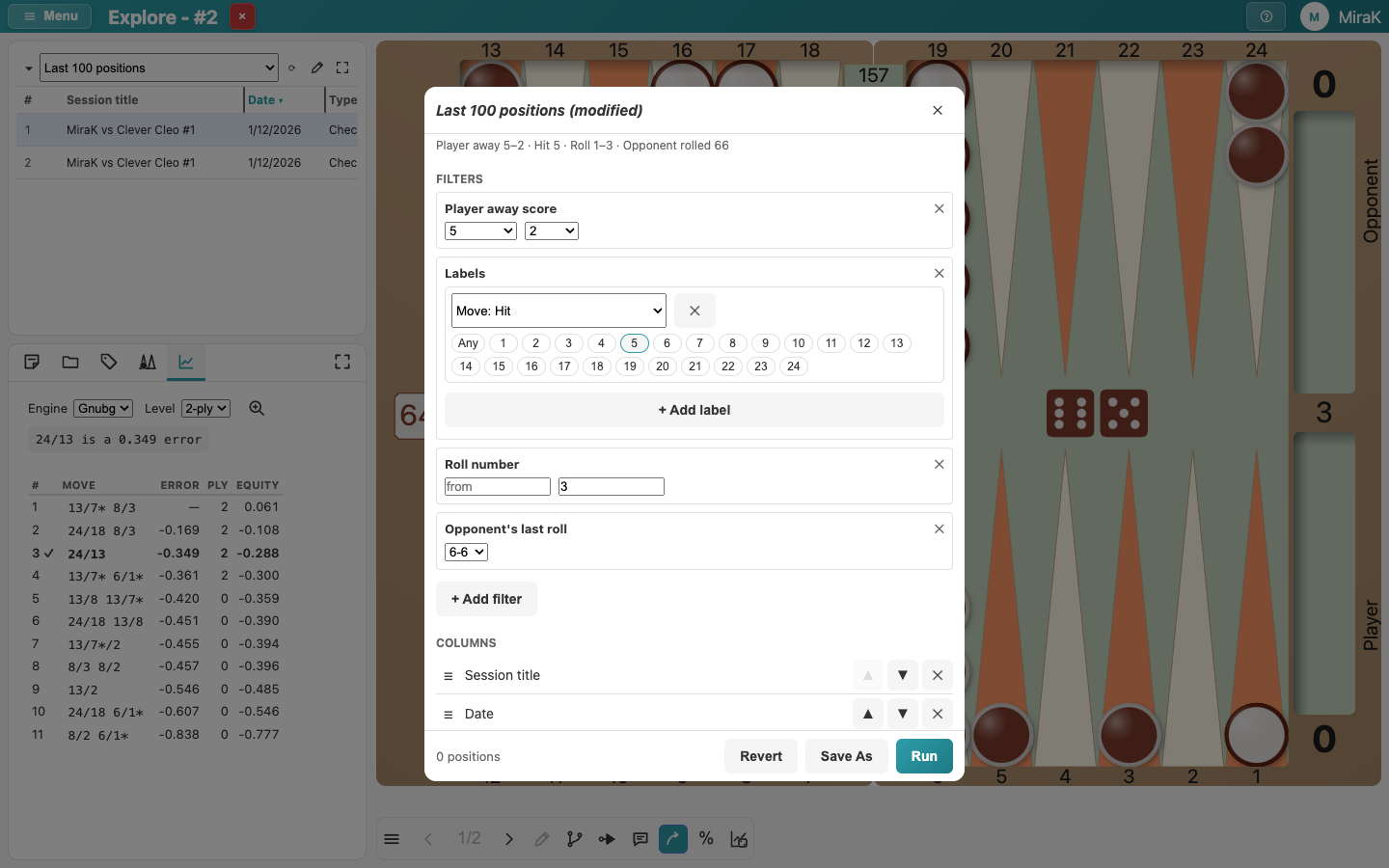
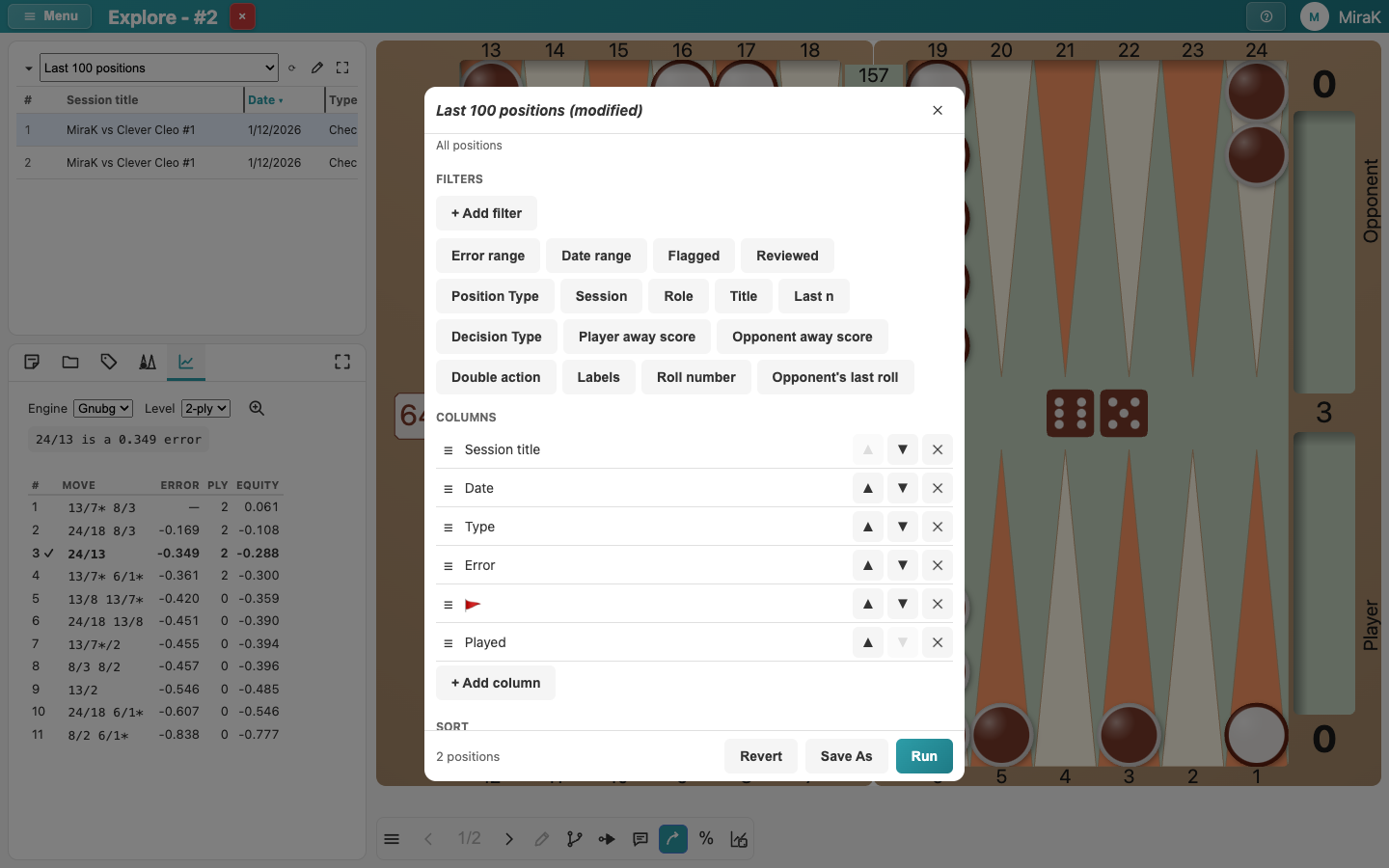
A query lists the positions that pass all its filters. ✎ above the results opens the query in the editor; Add filter lists the filters not in it yet, and ✕ takes one out. A filter left empty, or at Any, lets every position through.
Error and date
- Error range. The position's largest error, in points of equity, from the smallest to the largest you enter (0.080 is a typical blunder). Either end can stay empty. A position you met in several matches counts its biggest error.
- Explore holds every position with an error of 0.020 or more. A position with a smaller one is there only if you flagged it or explored it from a game, so a lower limit below 0.020 cannot find the rest; the editor then says so.
- Date range. The positions you met in a match, or set up, from the first day to the last, both included. With a date range, the error range looks only at the matches in it.
Kind of position
- Decision Type. Cube Decision, a position about doubling; Checker Play, a move to make with the dice rolled.
- Position Type. Setup Position, one you set up yourself; Match Position, one you met in a match. A position can be both.
- Double action. The cube action played in the match: No double, Double, Take, Pass, Beaver, Raccoon or Aardvark.
- Role. Who was on turn in the match you met the position in: Player (you), Opponent, Team (a teammate of yours in a chouette) or Observer (a game you watched, or one you were not in).
Score
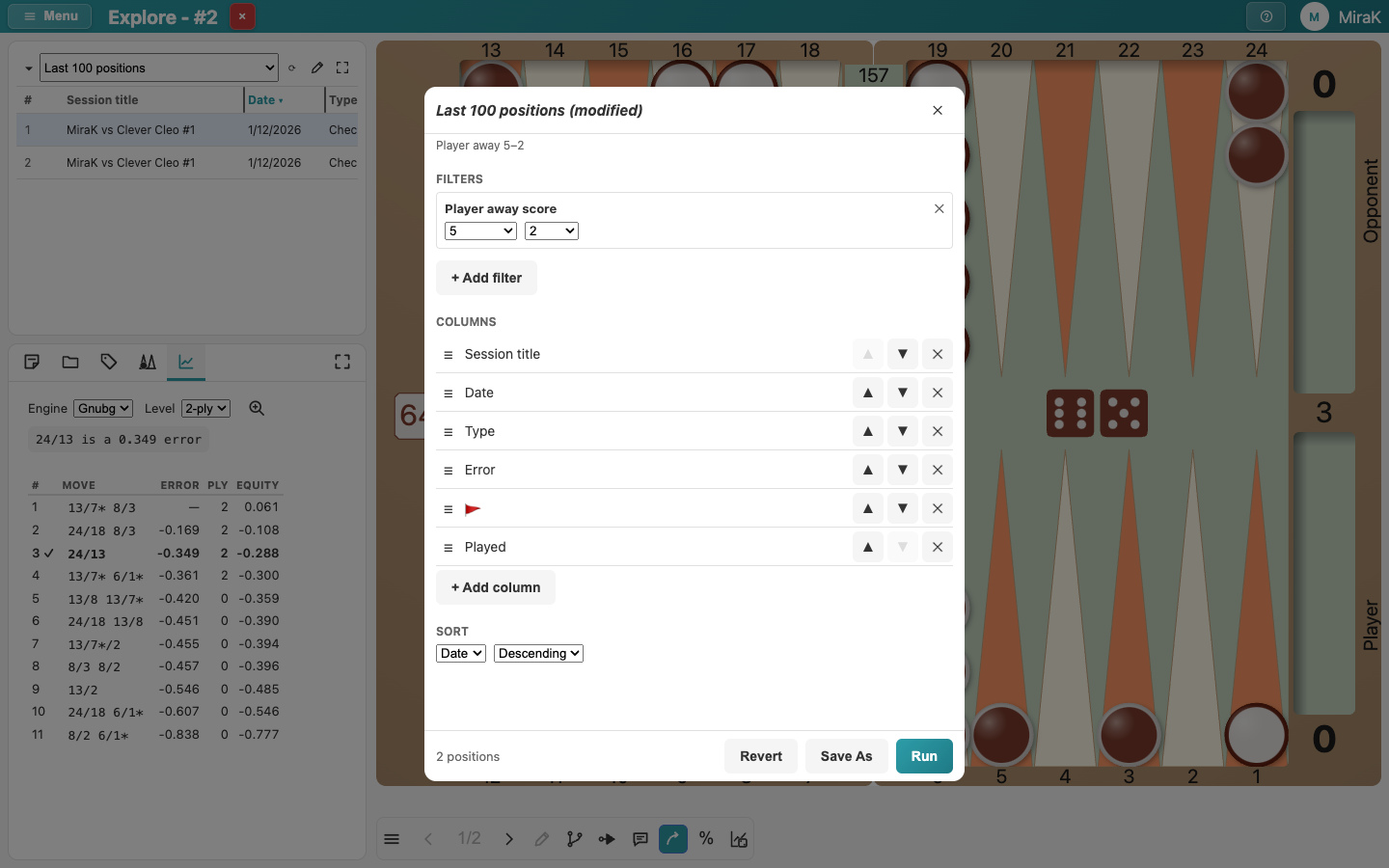
Player away score and Opponent away score take a range of scores counted as points away from winning the match: 13+ (13-away or more), 12 down to 2, 1, CR and PC.
- CR is 1-away in the Crawford game, when nobody may double; PC is 1-away after it.
- 1 counts any 1-away: CR, PC and a score of 1-away for both, double match point.
- Pick the two ends in either order; both are included.
- An away filter never lists a money position, which has no score.
Labels
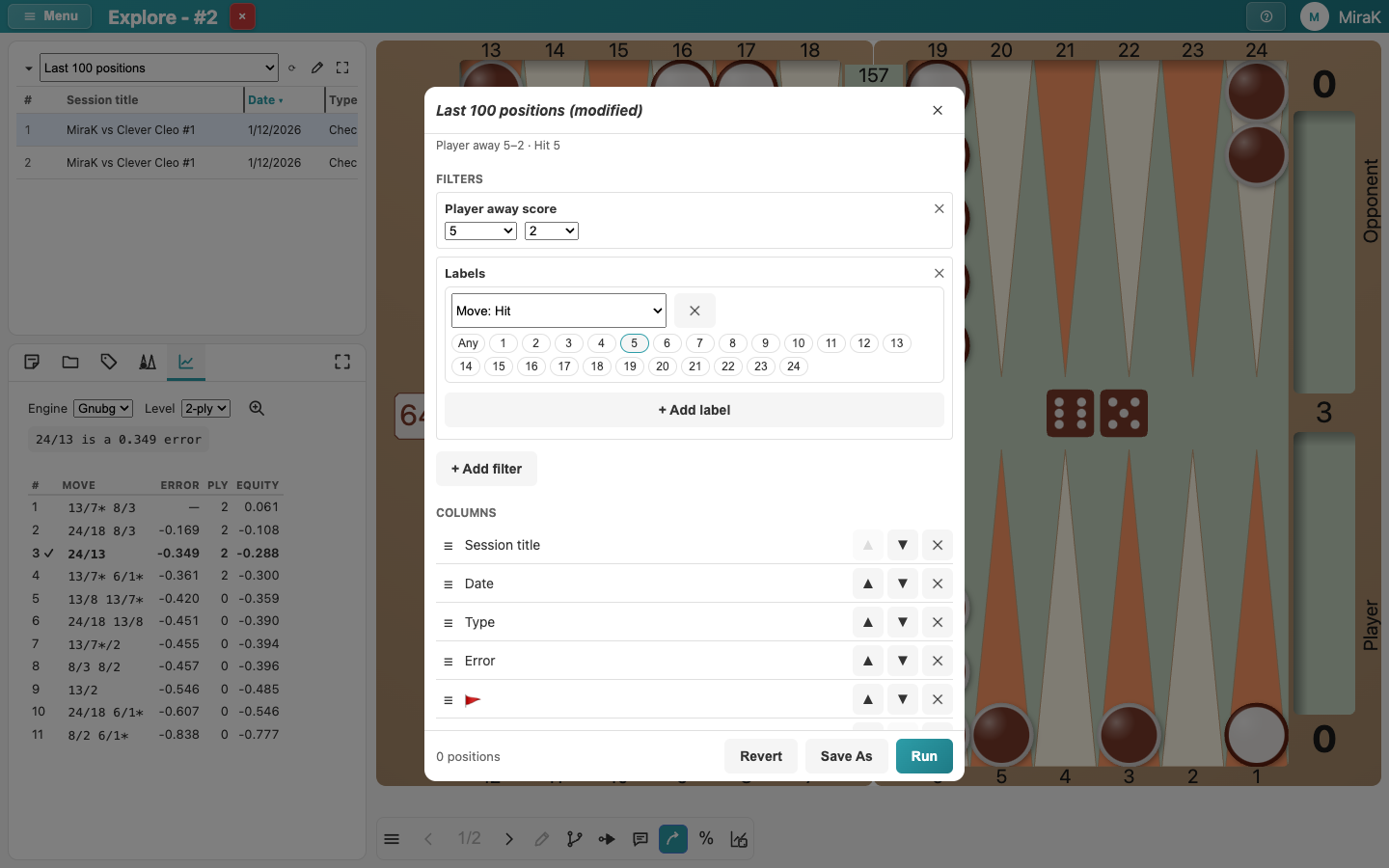
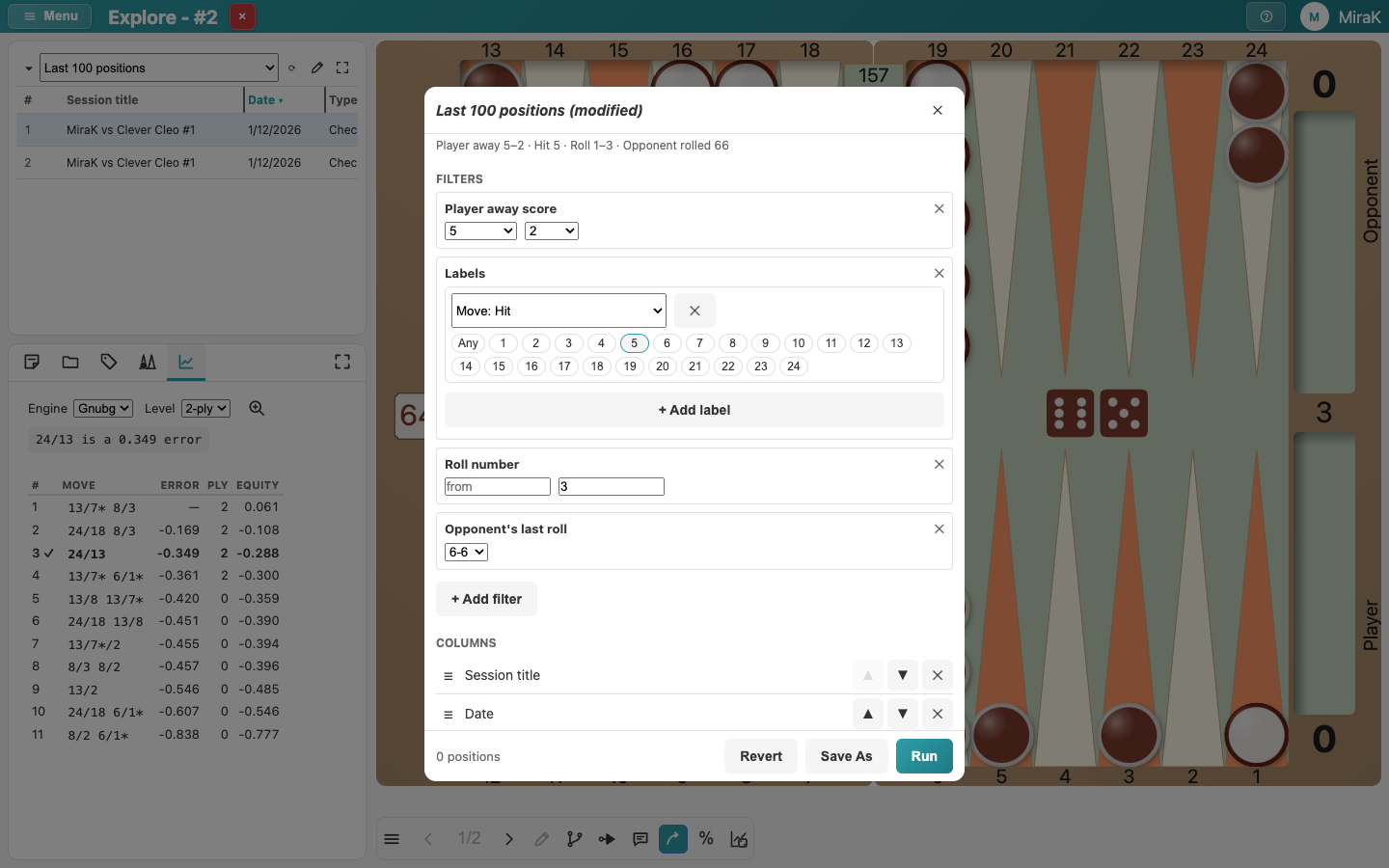
Labels finds positions by what is on the board or by what the move played did. + Add label adds a row; with several rows, a position must have every label.
- A position label (Position: Race, One man back …) describes the board.
- A move label (Move: Hit, Slot, Split …) describes the move played in one of the matches you met the position in.
- A label with a point can be limited to points: pick one or more of 1 to 24, numbered as the side on roll counts them. With none picked (Any), every point counts.
The labels are added in the background after a game. Position and move labels lists every one.
Rolls
- Roll number. Which roll of the game the position is for the side on roll: 1 is their first roll. From and to, either can stay empty.
- Opponent's last roll. The opponent's roll just before the position, such as 6-6.
Your own marks
- Flagged. Yes, the positions you flagged in a match; No, the others.
- Reviewed. Yes, the positions you marked reviewed on their Notes tab; No, the others.
- Title. The positions whose title contains the text.
Where it came from
- Session. The positions of one match or chouette session, by its number; Lookup finds the session. Explore position in a game runs such a query for you.
- Last n. Only the newest positions, this many, of those the other filters list; then they are sorted as the query says. The preset Last 100 positions is this filter.
Trying it out
The line at the top of the editor sums the query up, and the count at the bottom says how many positions it lists, worked out as you change it. Nothing changes in the results until you Run the query; closing the editor drops the changes.