
A position's panels
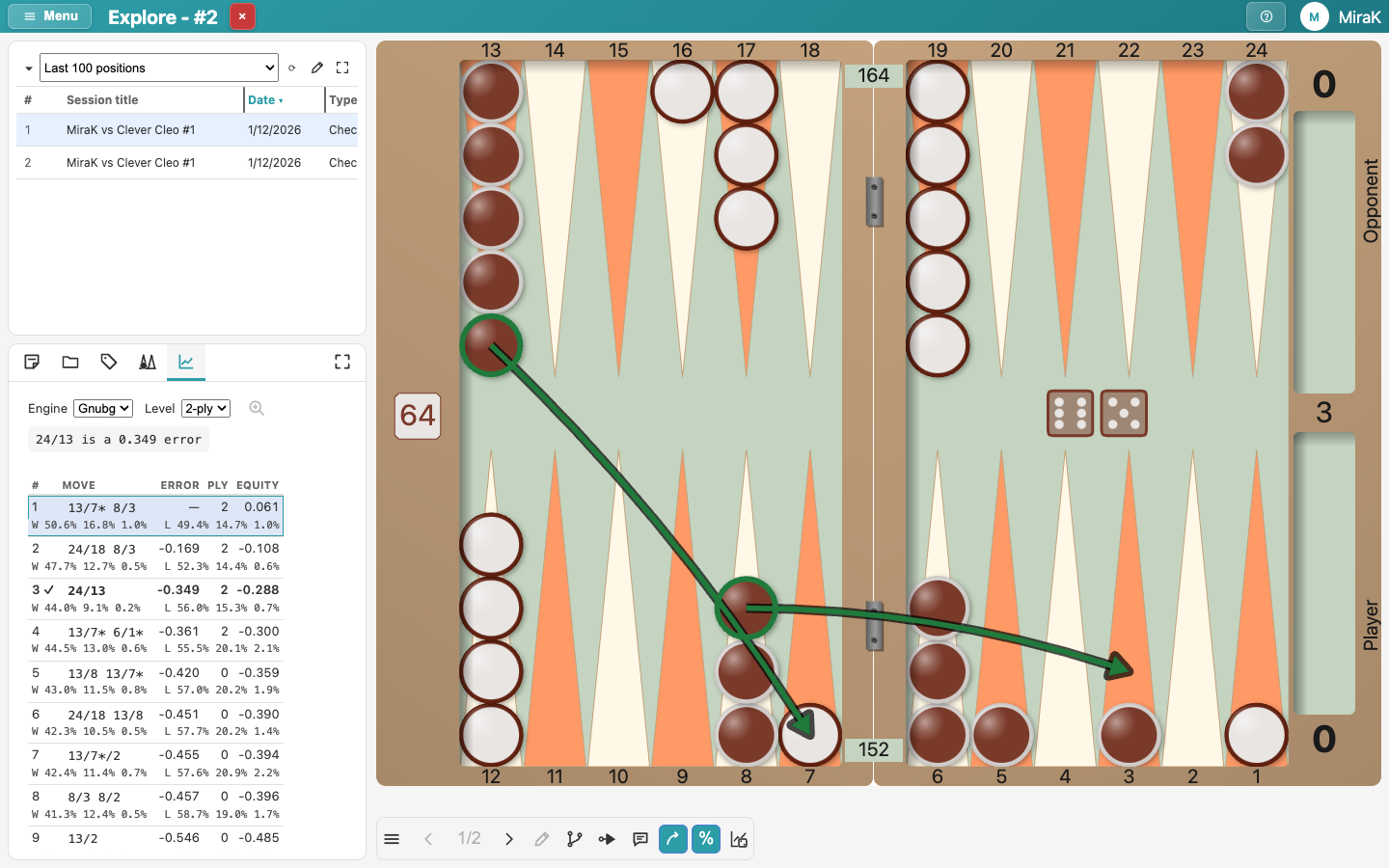
Beside the board, the tabs of the position you picked show what is known about it: Notes, Contexts, Features, Position and Analysis. On a phone they are below the board, and Results is the first tab.
Notes
The position's title, your notes and Reviewed. The title names the position in the results and is found by the Title filter; Reviewed marks it understood, so that All flagged, not reviewed no longer lists it. Each saves as soon as you leave the field or tick the box. A variant has a title of its own; its notes and Reviewed are its position's.
Contexts
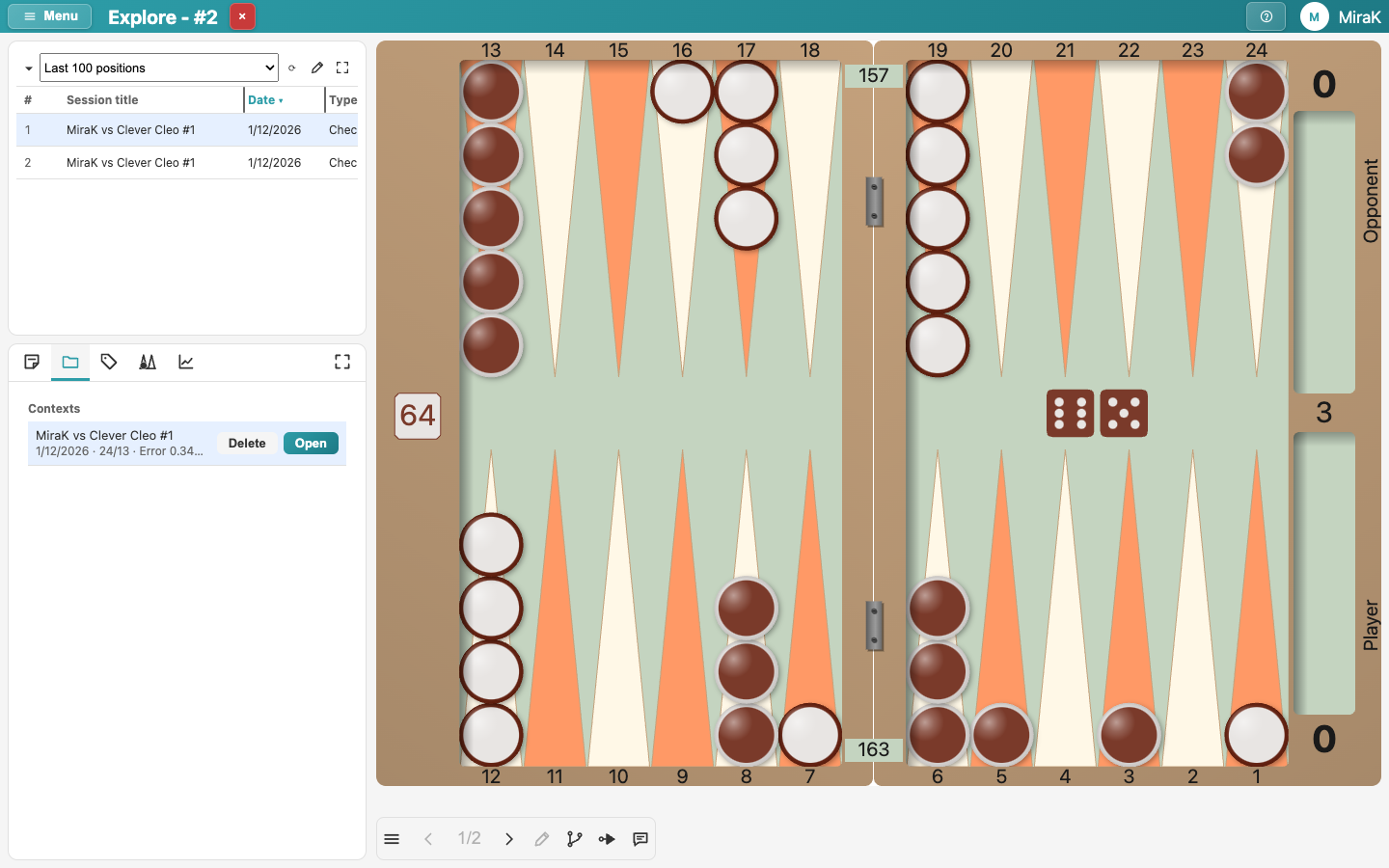
Every match you met the position in, with its date, the move or cube action played, its error and who was on turn ( when you flagged it).
- Pick a row to judge its move: the Analysis tab marks that move ✓ and gives its error, and the Features and Coaching tabs talk about it.
- Open goes to the match at that position.
- Delete removes that match context only. Without any, the position leaves the query results (its notes and variants stay); a flag on it in the match, or Explore position there, brings it back.
- A position you set up yourself has a first row, Manually set up position, with the date, and Delete for the whole position (see Edit or correct a position).
- A variant has a first row, Variant created, with Delete variant.
- Below, Play from Position sessions lists the games you played from the position, with Open, and Resume for a suspended one.
Features
The position's labels (Opening, One man back …) and, for the match context you picked, the labels of the move played (Hit, Slot …), with the strengths of the game plans open to the side on roll. Position and move labels explains each label.
Position
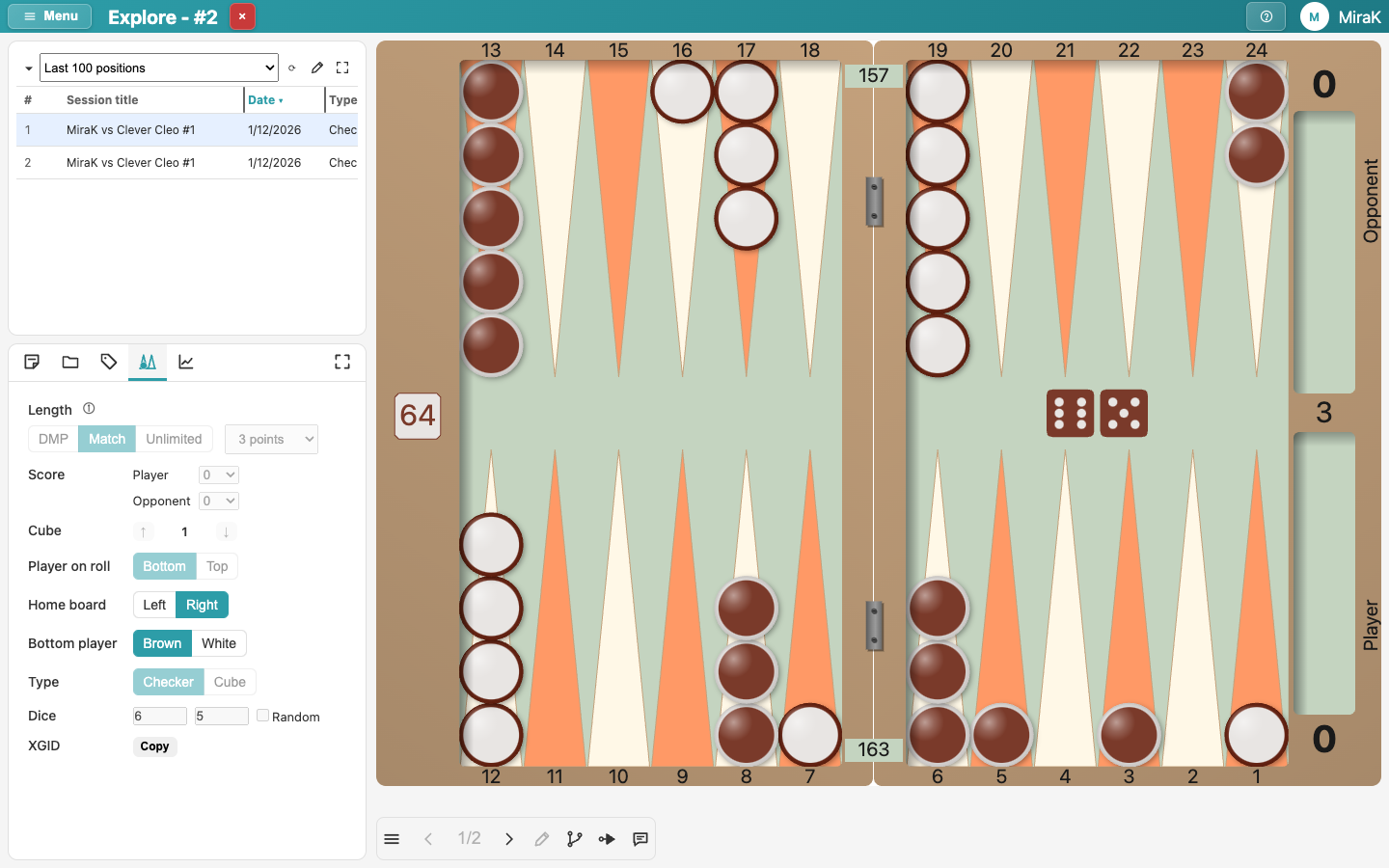
The match length, the score, the cube, who is on roll, whether it is a checker play or a cube decision, the dice, and the XGID with Copy. These change only in Edit (Edit or correct a position). Two rows change the picture only, at any time, and the position keeps them:
- Home board draws the board with your home board on the left or the right.
- Bottom player chooses the colour of the checkers at the bottom.
Analysis
The moves for the roll, the best first, with their equities and how much each loses; for a cube decision, the cube analysis. The move played in the context you picked is marked ✓. Pick a move to see it on the board, and Shift+↑ or Shift+↓ to step through them.
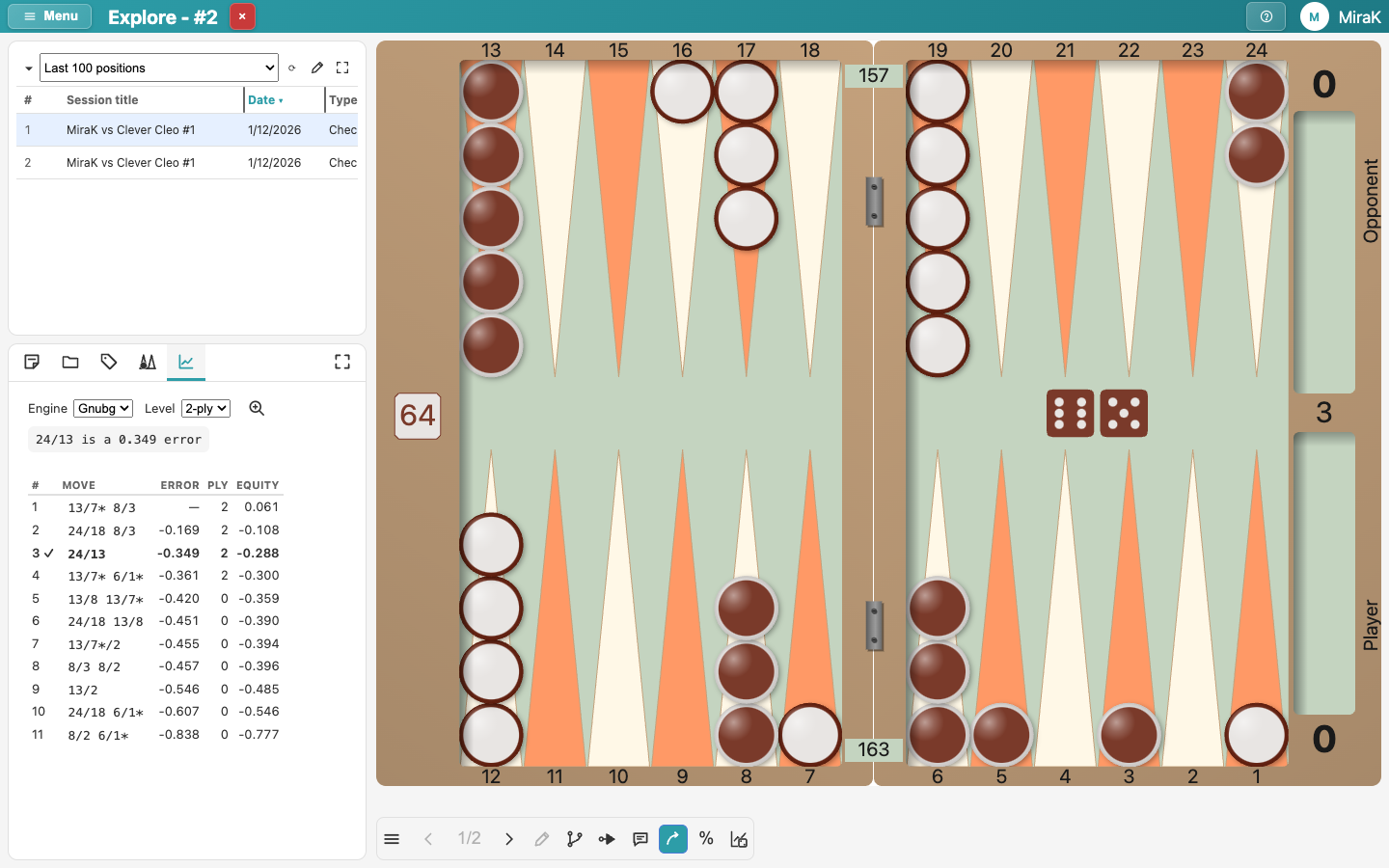
- Engine and Level. The analysis engine, and how many plies deep it looked. Games are analyzed at 2-ply; a deeper level is more accurate. The levels you have run for this position are in plain text, the others in italics.
- The magnifier beside Level runs the analysis at that level: the moves you selected (with the best move and the one played), or the cube decision. A deep analysis may cost tokens if your account has them; once run, it stays with the position for you.
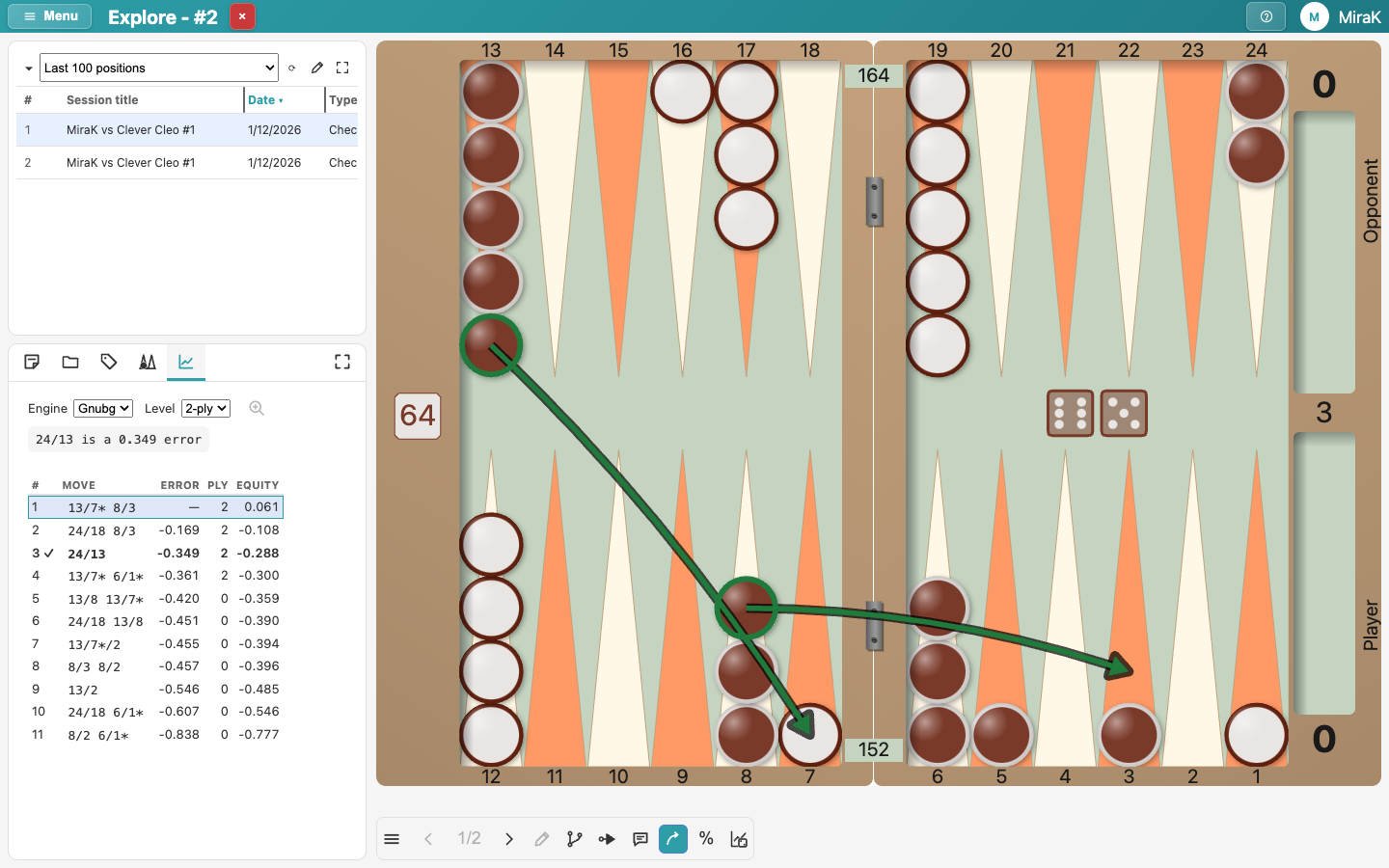
- Show arrows, on until you turn it off, draws the selected move as arrows on the board. Off, the checkers move to where the move puts them.
- Show percentages adds a line under each move with its chances to win, to win a gammon or a backgammon, and to lose one.
- Dice distribution compares two moves roll by roll: the best and the one played, unless you select others. For each roll the opponent can make next (Roll Depth 1st Roll), or each of your rolls after theirs (2nd Roll), it shows the equity swing between the two moves, as a bar chart or a heat map, at 0-, 2- or 4-ply. So you see on which rolls a move gains or loses. It may cost tokens if your account has them.